Baby Milestone Journal
iPhone beta on TestFlight

Every moment, every milestone, together as a family

Baby Milestone Journal keeps your baby's photos, videos, milestones, growth and everyday notes in one place, organized by age. Invite your partner and family, and the story comes together in one journal instead of scattered across group chats.

Free to try during the beta.

Family sharing

One journal the whole family shares

No more asking relatives to send their photos, or digging back through a group chat for the video from Sunday. Your family joins the same journal, sees new moments as they are added, and joins in.

  1. Invite the people who matter

    Send your partner, grandparents or a caregiver an invite code or link, and choose a role for each person as you invite them.

  2. The moments come to them

    New photos, videos and milestones show up in a family activity feed. Your partner can add to the same journal from their own phone.

  3. Everyone joins in

    Family members react, comment and reply, and every moment stays filed under your baby's age.

Illustration: moments from each family member arrive in one shared journal.

What family sharing includes

  • Invite as many family members as you like, each with their own invite code or link
  • A family activity feed of new photos, videos and milestones
  • Comments, replies and reactions
  • Shared albums your family can open from a link

Invites and album links are different

Family members join your journal with an invite you send them. A shared album is separate: it opens from a link, so anyone who has that link can view that album. Send album links only to people you would show the album to.

Ready to bring your family in? Join the iPhone beta

A look inside the app

Screens from the current development version of the iPhone app, filled with demo content. The photos are stock images, and the people in them are not app users. The family activity is sample data set up for these screens. The TestFlight beta may look slightly different.

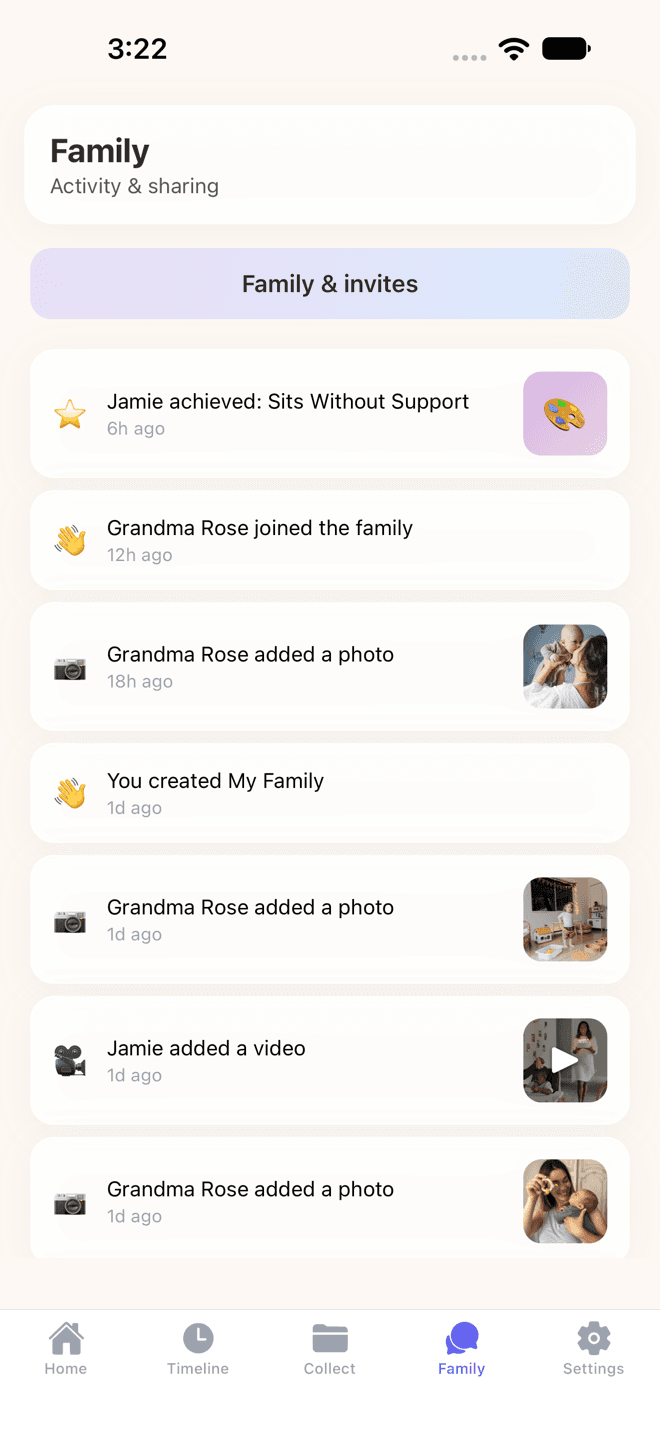
  • The Family tab: an activity feed with "Jamie achieved: Sits Without Support", "Grandma Rose joined the family", several "Grandma Rose added a photo" entries and "Jamie added a video", each with a thumbnail.
    Family feedPhotos, videos and milestones from everyone in the family, in one activity feed.
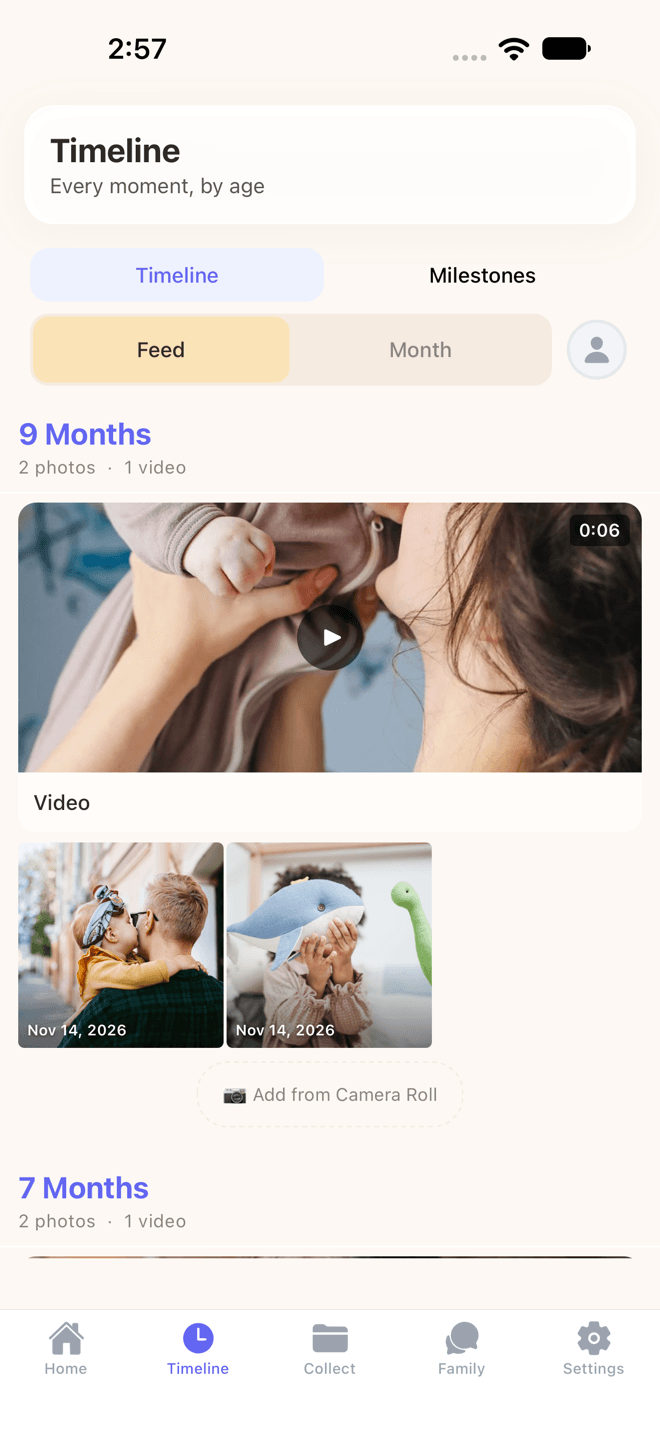
  • The Timeline in Feed mode: a "9 Months" heading with a video and two photos, and the 7 Months group starting below.
    TimelineEvery moment in order, grouped by your baby's age.
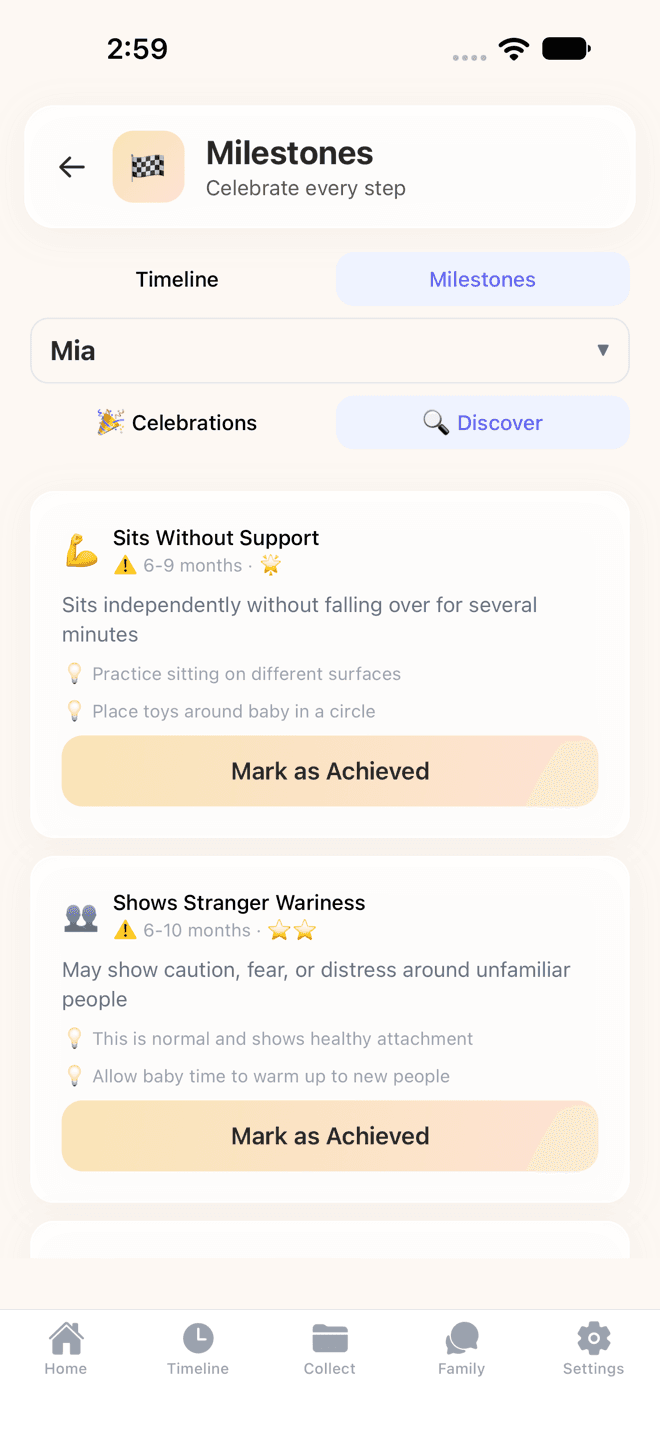
  • The Milestones Discover list: "Sits Without Support" and "Shows Stranger Wariness" with tips and Mark as Achieved buttons.
    MilestonesMilestones matched to your baby's age, with tips and one tap to record.
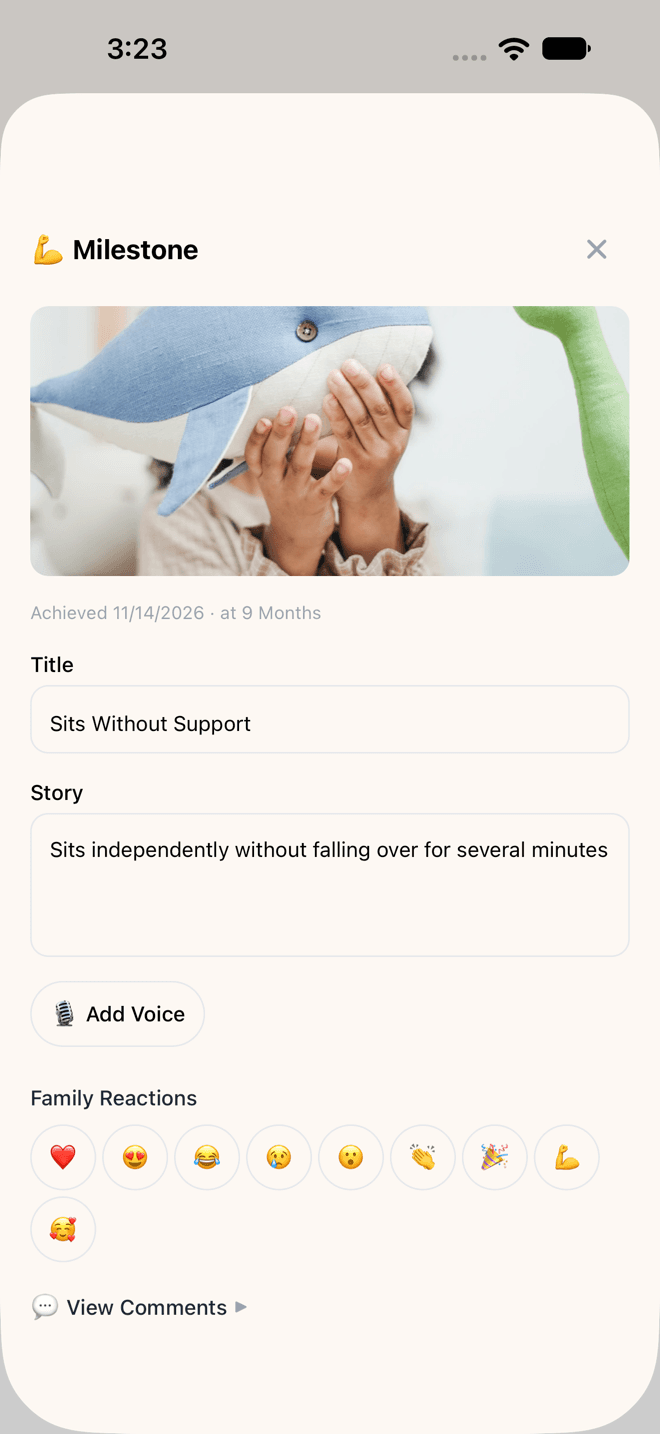
  • A milestone detail sheet for "Sits Without Support", achieved at 9 months: a photo, the title, a short story, an Add Voice button, a row of family reaction emoji and View Comments.
    A milestone, keptEach milestone holds its photo and story, with room for a voice note and family reactions.

Everything else in the app

The family journal sits on top of the everyday tools a new parent reaches for. Jump to a section:

Capture it as it happens

Photos, videos and words go straight into the journal, filed by your baby's age.

Photo timeline by age

Photos, videos, journal entries, voice notes and documents are filed by your baby's age in months, so each stage has its own place.

  • A continuous feed, or one month at a time
  • Import from your Camera Roll; the date the photo was taken puts it in the right month
  • A duplicate check before anything is imported twice
  • Move an item to a different month or to a sibling's timeline
  • On This Day reminders of what happened a year ago

Months from now, open month three and everything from that month is there.

Built-in camera

Take photos and videos straight into the journal, filed under the right baby at the right age.

  • Photo and video modes, front and back camera, flash and zoom
  • Optional milestone ideas for your baby's age while you shoot
  • Choose which baby a picture belongs to
  • Use a picture as your baby's profile photo

Shoot the first bath once, and it is already in the journal.

Journal and voice notes

Write down the small things, or say them out loud when your hands are full.

  • Journal entries with a title, mood and date
  • Attach a voice note to an entry
  • A voice journal for recordings, with adjustable playback speed
  • Edit an entry any time after saving

Holding a sleeping baby? Record a voice note instead of typing.

Milestones and growth

Record the firsts as they happen, and keep the measurements in one place.

Milestones

Browse milestones suited to your baby's age and record each one when it happens.

  • Mark a milestone achieved with notes and a photo or video
  • Correct the date later if you record it after the fact
  • Celebration cards that show the milestone's photo
  • Family members can react and comment

First steps on a Tuesday evening, with the video attached.

Growth tracking

Keep weight, length and head measurements in one place, with percentile context.

  • Metric or imperial units for each measurement
  • Percentile charts for weight, length and head circumference
  • A pediatrician report as a PDF
  • Export to PDF, CSV or JSON

Bring a PDF to the next checkup instead of searching your notes.

Day-to-day care

Log the routine and get a nudge when a moment is worth capturing, without a separate tracking app.

Feeding and sleep logs

Log the daily routine without a separate tracking app.

  • Breast, bottle and solid feedings, with side, amount and times
  • Naps and overnight sleep, with times and location
  • History you can edit, and short age-based tips
  • Export your logs to CSV or PDF

Check which side the last feed was on, at 3 a.m.

Reminders

Gentle prompts so the moments get captured before the week moves on.

  • Suggested reminders for your baby's age, set up in one step
  • Your own reminders, one-off or repeating
  • Turn notification types on or off

A prompt for this month's photo, before the month is gone.

Keepsakes

Find a moment quickly and turn it into something you can print or share.

Collections and Canva export

Search everything, gather the moments you want, and take them where you need them.

  • Search everything, including the text of journal entries
  • Quick filters for holidays, birthdays, this month and type of media
  • Save a selection to your phone's Photos
  • Export a selection as a folder, or open it in Canva for scrapbooks and cards

Pull every birthday photo together for a first-year scrapbook.

Your babies and your data

Room for the whole family, with control over what you keep.

Babies, accounts and exports

Each child has their own timeline, and your memories can leave the app with you.

  • More than one baby, each with their own timeline
  • Merge a baby added twice by two family members
  • Export your data
  • Choose whether to share anonymous analytics

A second baby gets their own timeline from day one.

Private by design

Baby Milestone Journal is designed to keep family memories private, with secure sign-in and encrypted cloud services where sync is used. How your data is handled is set out in the Privacy Policy.

Try it on your iPhone

Baby Milestone Journal is in beta on iPhone through Apple's TestFlight, and it is free to try during the beta.

How to join the beta

  1. Install Apple's free TestFlight app from the App Store.
  2. Open the Baby Milestone Journal invite link on your iPhone.
  3. Tap Accept, then Install.